What configuration server can cater 100K visitors?

Nervous about FAILURE? Anxiety is obvious! Especially when there is no direct formula OR answer to the question mentioned above. There are some basics that you need to be aware of before you conclude!

A quick disclaimer before I get started - "I'm not a geek from hosting domain" and I've connected the dots based on my 20 years of IT experience and the content that I've referred and borrowed from: www.webhostingtalk.com, www.severalnines.com, www.cloudkul.com, www.serverfault.com & www.quora.com and images are borrowed from the internet.
First and foremost, the key to catering 100K visitors is:
identifying the "concurrent" users,
concurrent users in "peak" hours and
"number of peak hours" in a day
Load balancing becomes imperative when the rise in traffic is significant and increasing exponentially, gradually!
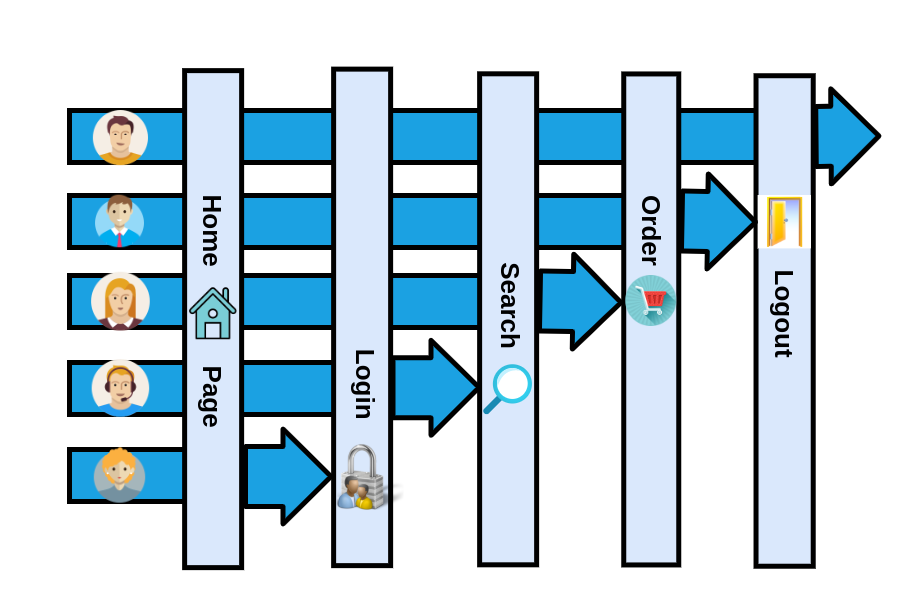
Another fact that one needs to understand is the number of visitors is not only the prime factor that determines server configuration, but the "computation power" and "memory" consumed by the application for accomplishing respective features / tasks is an equal contributor to derive the server configuration.
A number of visitors visiting the respective websites at a single moment of time for a certain duration who perform various tasks/access respective features; are called concurrent users and that duration is called peak hours.
There is a definite formula for calculating the concurrent users:
Concurrent visitors = Per Day visits / Peak hours *(60/Average duration per visit in minutes)
Let us take an example to understand it better:
Suppose, I have a website, and around 200 users visit my website daily. Approximately 20 minutes were taken by a single user on my website. The peak hours mean the time when I experiencing high traffic is from 6:00 P.M to 10:00 P.M i.e, 4 hours.
So, let’s calculate my concurrent users by putting the values in the formula:
Concurrent visitors = 200 / 4 * (60/20) = 200 / 4*3 = 200 /12 = 16.67
As a result, the approx. number of concurrent users on my website is 17.
Why Do We Calculate This?
Service Capacity
Concurrent users are a standard way of planning, measuring, and managing service capacity. To assess the service capability, It is fair to look at the peak concurrent users for a time period. For instance, my website has the capacity to handle 500 concurrent users. When peak concurrent users reach 475, it indicates that we need to scale up the capacity.
Service License
The license for a service would be based on concurrent users. This ensures that various users can use the service, but under the license, there is a restriction to how many users can use the service at the same time.
Application and Server Load Testing
Application and Server Load Testing techniques are also focused on the simulation of concurrent users. These tools usually execute the results on the basis of concurrent users. This illustrates how critical the assessment of these users is.
Tuning Of Applications For High Traffic
Like we said earlier, predicting concurrent users plays a very significant role in tuning the application and scaling up the resources in case of traffic fluctuations. Therefore it alerts us when it is necessary to scale up the resources to keep our servers load-free. As a result, regardless of the high server load, we don’t have to suffer the repercussions. And our website remains optimized which is the primary motive for all.
Thus, we are specifying concurrent user limits for some of the services that we have commonly used for our application. By using these limits, we have the basic idea of addressing the question “How to determine the number of concurrent users that your website can handle?”. Since, it all depends on the configuration of the operating system and the services that you use (Apache, MySQL, PHP, etc.)
CPU Cores
A Single CPU core will commonly handle an average of 220 to 250 concurrent connections simultaneously. If for instance, a website runs on a server that has a single CPU with 2 CPU cores, approximately 500 visitors may access and search the website at the same time.
MY SQL Database
75 concurrent connections per gigabyte of usable memory are supported in each MySQL database. The total memory on the database, minus the approximate 350 MB used by the operating system, is usable memory. Usable memory is then rounded to the nearest gigabyte.

Any Definite answer to the question?
NO! as it is completely dependent on:
what technical architecture your website is built with?
how complex are the features that you deliver?
how much CPU computation power does it need for execution?
how much memory does it require while execution?
is NVMe (Non-Volatile Memory Express) required if too much processing is involved?
What if SSD can be used for storage to speed up the performance if its related to DATA storage?
And offcourse, CPU CORES and RAM are the integral components that need to be evaluated on the answers to the questions listed above.
One of the recommendations for a scalable cloud is:

Intel Xeon E 1230 v2 CPU with DDR3 128 GB RAM along with 2 TB SSD are core parameters that the server should have to cater to the traffic of 100K users.
Only having one such server does not suffice if web traffic is huge. Load balancing layer becomes imperative for not only balancing the web traffic but also mirroring databases and providing the fastest possible access. Here is the visual representation of this concept, where read & write activity happens on the prime database and mirrored database instances respond to the read requests as shown below.

Who all provide this infra?
IBM Soft Layer
Amazon Web Services
Microsoft Azure
Google Cloud
Conclusion
There is often a trade-off between performance and scalability.
When you prepare your website for high traffic, you have to balance scalability over end-user performance.
Furthermore, to make the website more scalable, there are only two things we can do. We may either deploy fewer resources or can extend the resources of the server. Since requests are dynamic and can run PHP, server resources are also very necessary for any eCommerce/enterprise solution.
Caching will help to scale up somewhat but the server resources will likely be spent rapidly because of multiple sessions and carts. Hence, it is often a wise decision to use fewer resources for the web application with the estimation of concurrent users to make it faster.
Thanks For Reading!
At last, I hope it works for you and you have found something valuable inputs. Feel free to LIKE, comment and suggest corrections, if you share a difference of opinion!


Comments